
Install & Activate Steps

1. Go to Settings and connect to a Wi-Fi network.
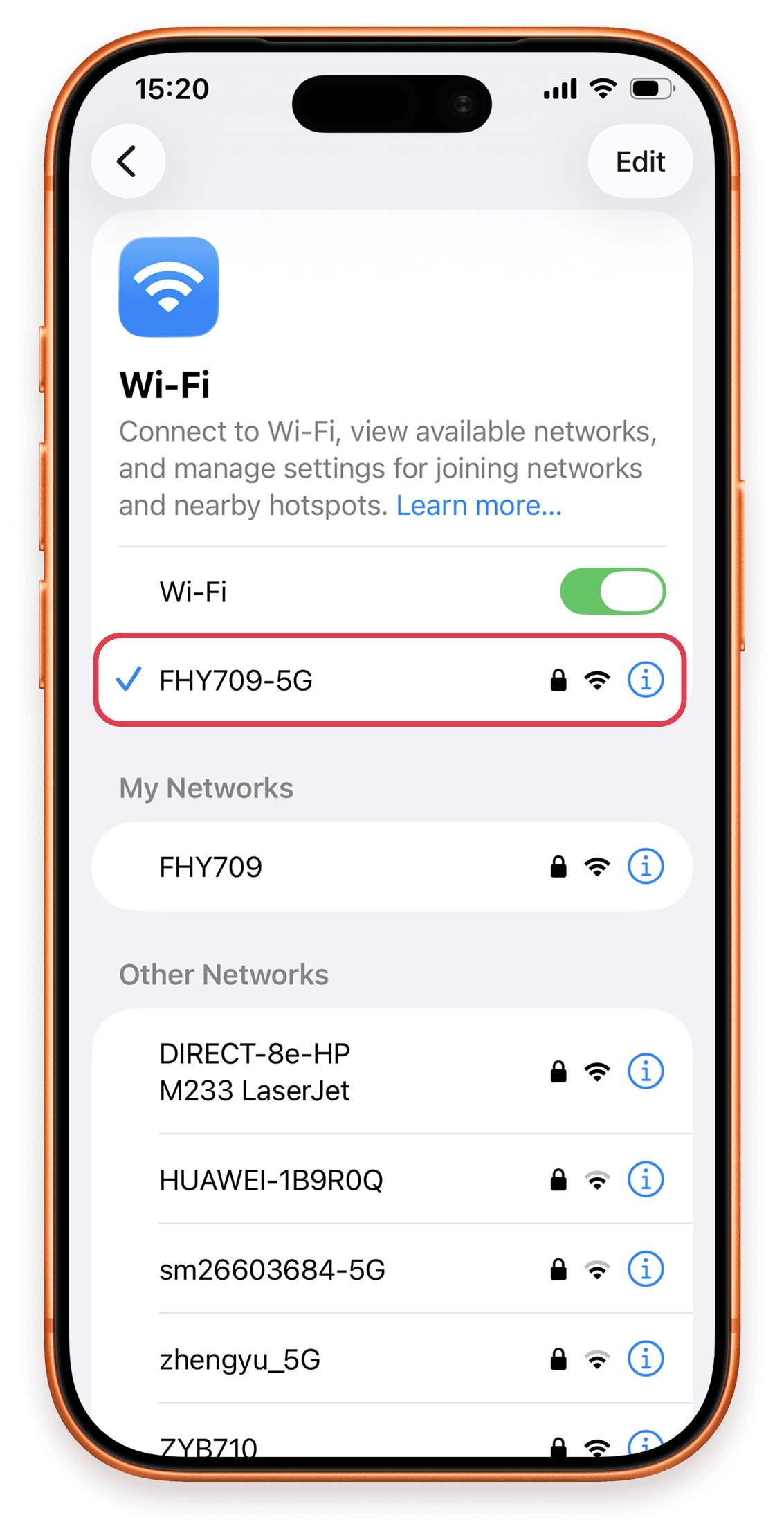
Install & Activate Steps 1: Go to Settings and connect to a Wi-Fi network.

2. In Settings, open Cellular and tap Add eSIM.
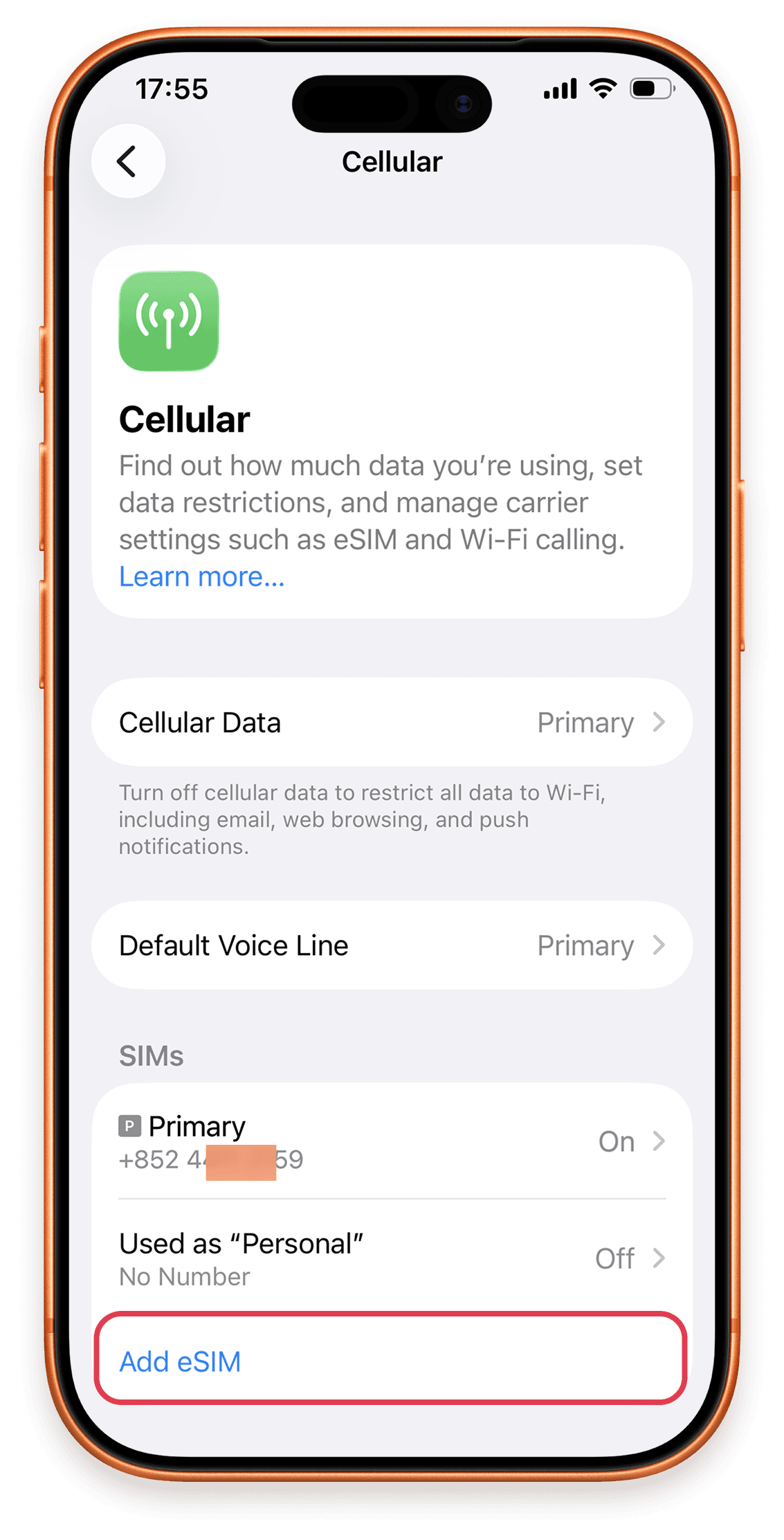
Install & Activate Steps 2: In Settings, open Cellular and tap Add eSIM.

3. Select Use QR Code.
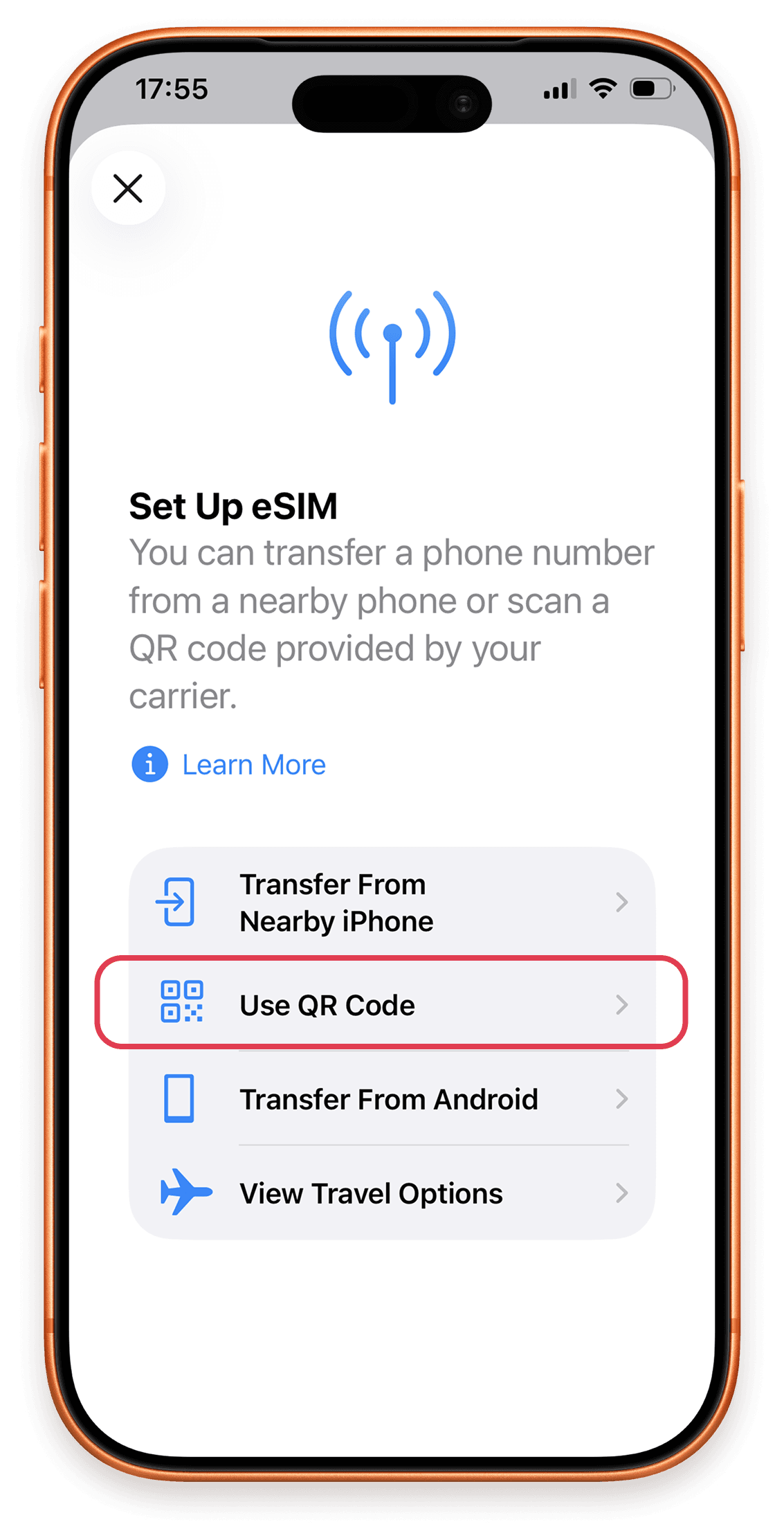
Install & Activate Steps 3: Select Use QR Code.

4. Tap Scan QR Code.
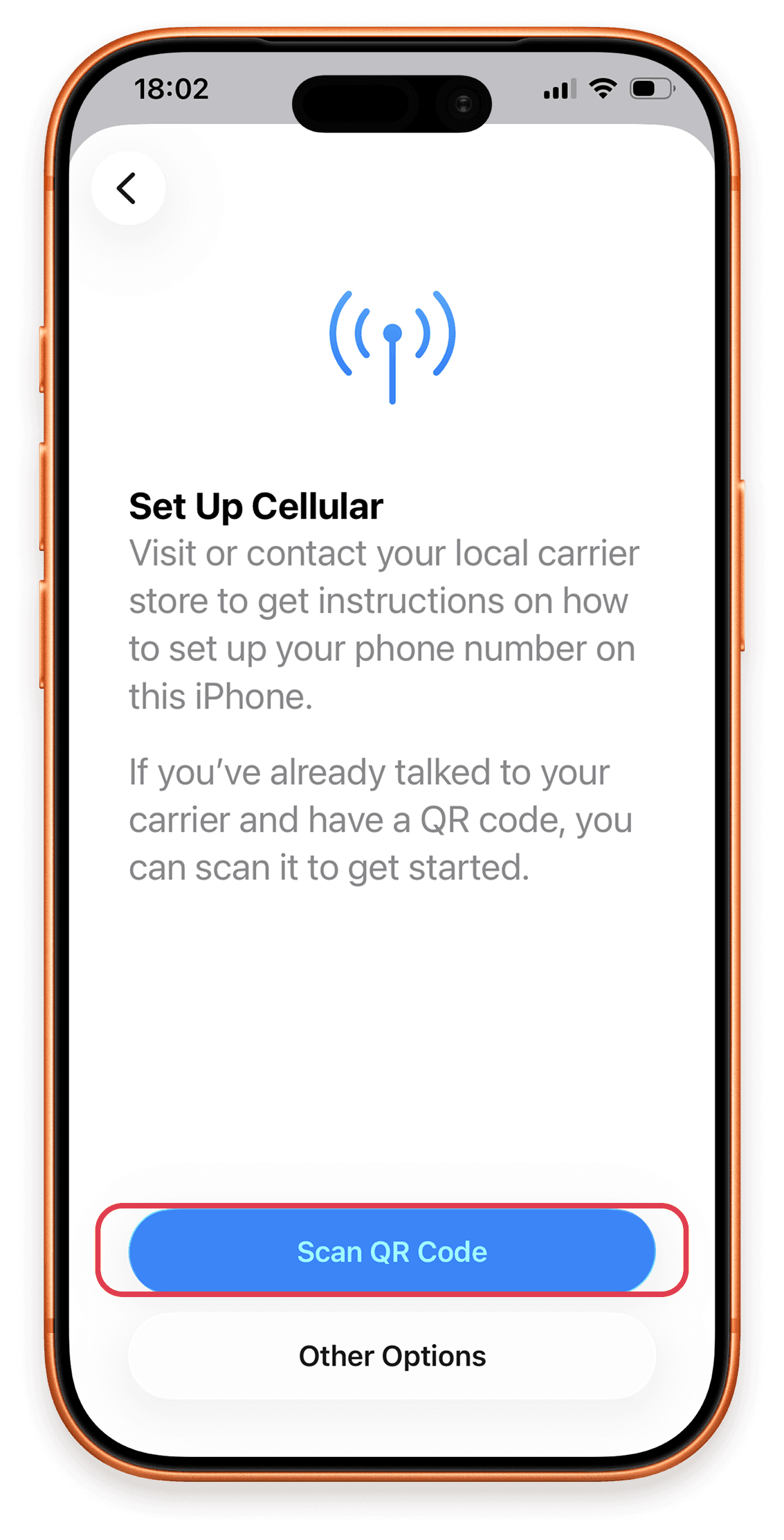
Install & Activate Steps 4: Tap Scan QR Code.

5. Position the eSIM QR code inside the camera frame.
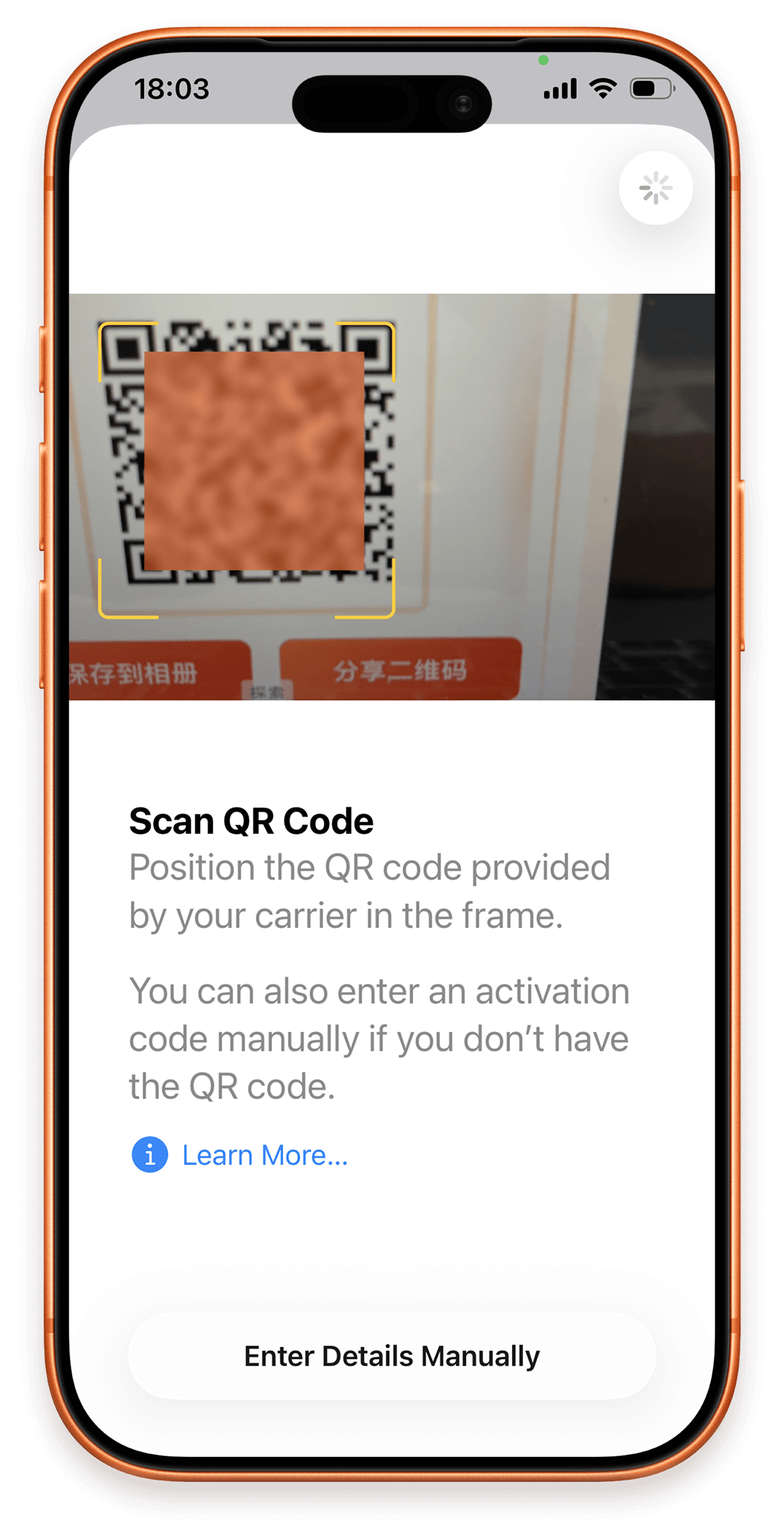
Install & Activate Steps 5: Position the eSIM QR code inside the camera frame.

6. Confirm the detected eSIM and tap Continue.
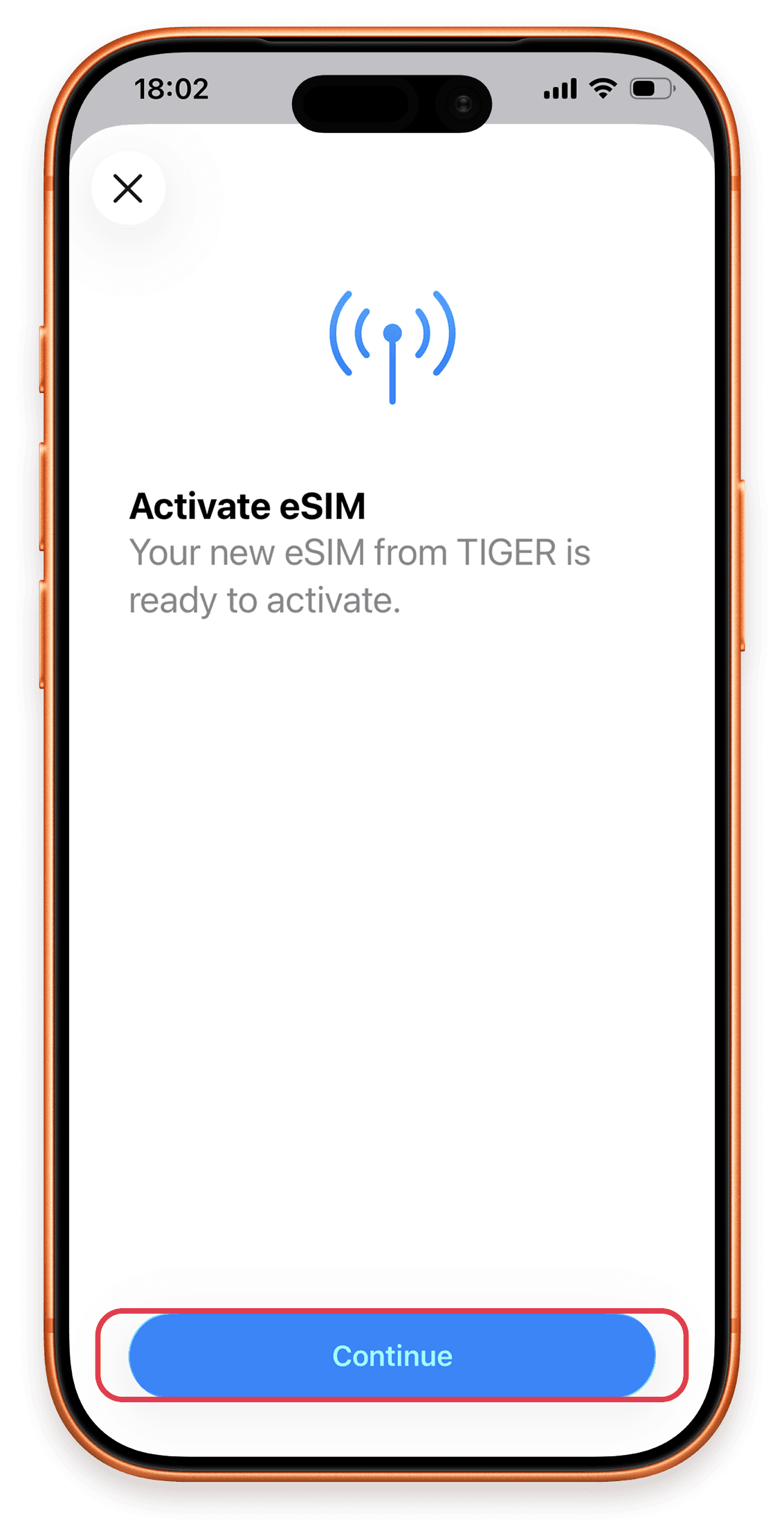
Install & Activate Steps 6: Confirm the detected eSIM and tap Continue.

7. Choose where you will use this eSIM.
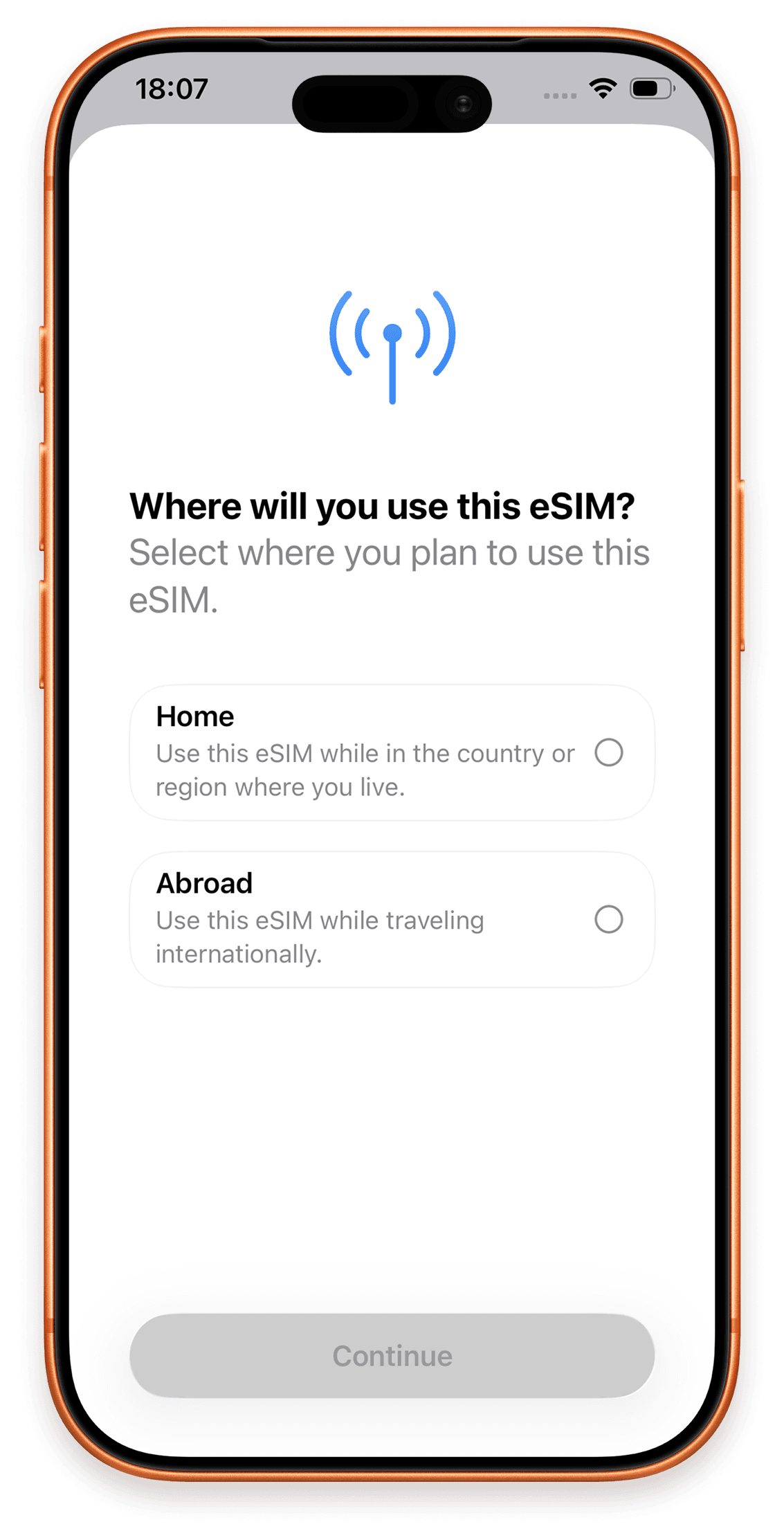
Install & Activate Steps 7: Choose where you will use this eSIM.

8. Turn on the line and enable Data Roaming when travelling.
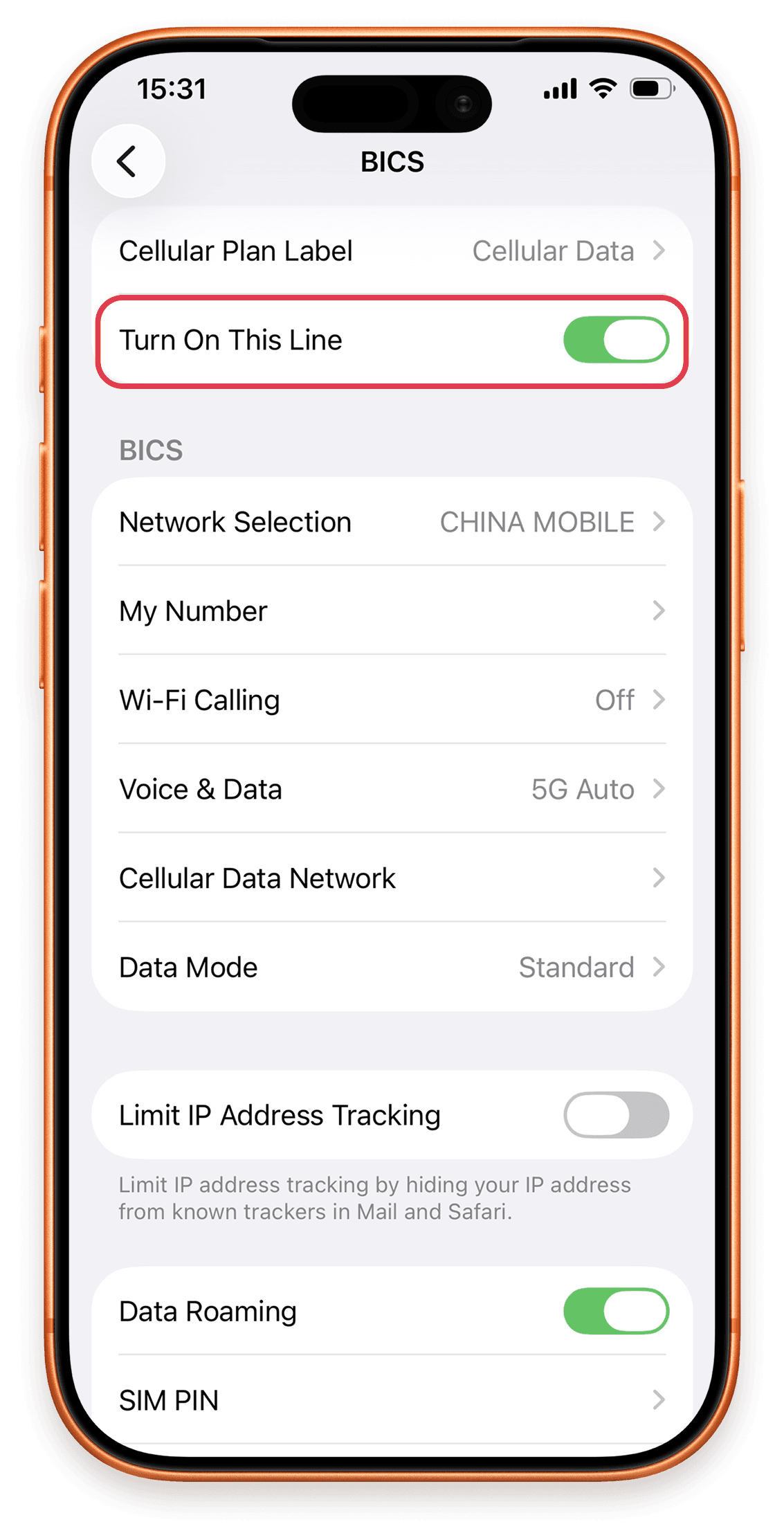
Install & Activate Steps 8: Turn on the line and enable Data Roaming when travelling.

9. For manual installation, enter the activation details provided with your order.
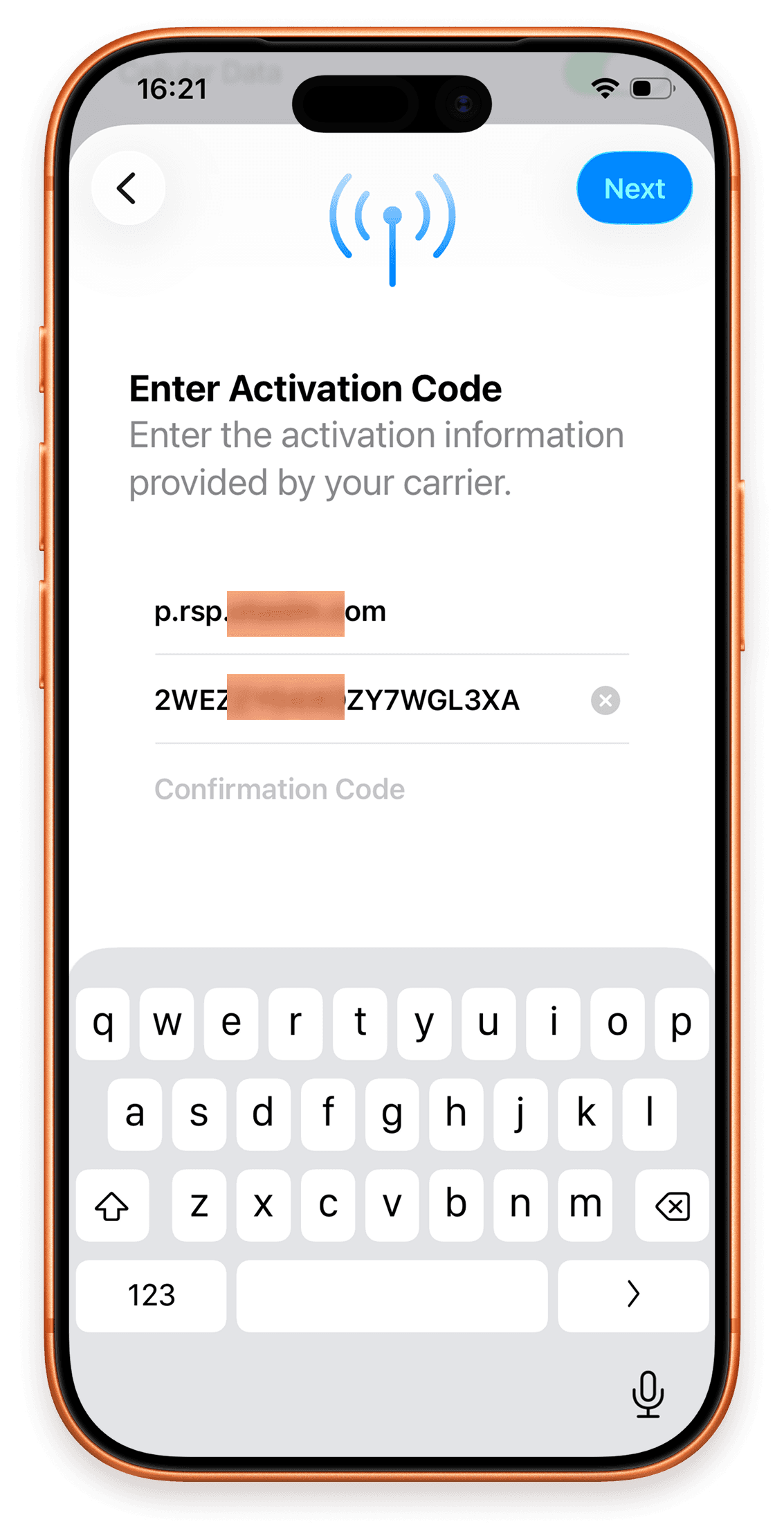
Install & Activate Steps 9: For manual installation, enter the activation details provided with your order.